About My Accommodation
When the My Accommodation page appears and what it shows.
When you see My Accommodation
My Accommodation is for times when people need to leave home, for example during an emergency. It shows in the menu only:
- while PBCN has an active situation open for requests, or
- when you have an open request for a place, or a place recorded for you.
At other times you won't see it. That is normal.
Open My Accommodation
- On a computer: in the menu on the left, click My Accommodation. It is right under My Household.
- On a phone: tap More at the bottom right of the screen, then tap My Accommodation.
You may also see an Accommodation box on your Dashboard that says Tell us where you are, or ask PBCN for a place. Tap it to open the page.
What the page shows
The page says Where you are staying, and how to tell PBCN when it changes.
- Where you are staying: the name of the place, the room, the address and phone, and the date you arrived (or Expected to arrive). A label shows Confirmed or Self-reported, not yet confirmed.
- Who is with you: the first names of the people staying with you.
- Your household: where each member of your household is staying, or No place recorded.
- Activity Log: what changed and when.
If you have no place yet, you see We don't have a place recorded for you yet. If PBCN is arranging one, you see PBCN is arranging a place for you. It will show here when it's ready.
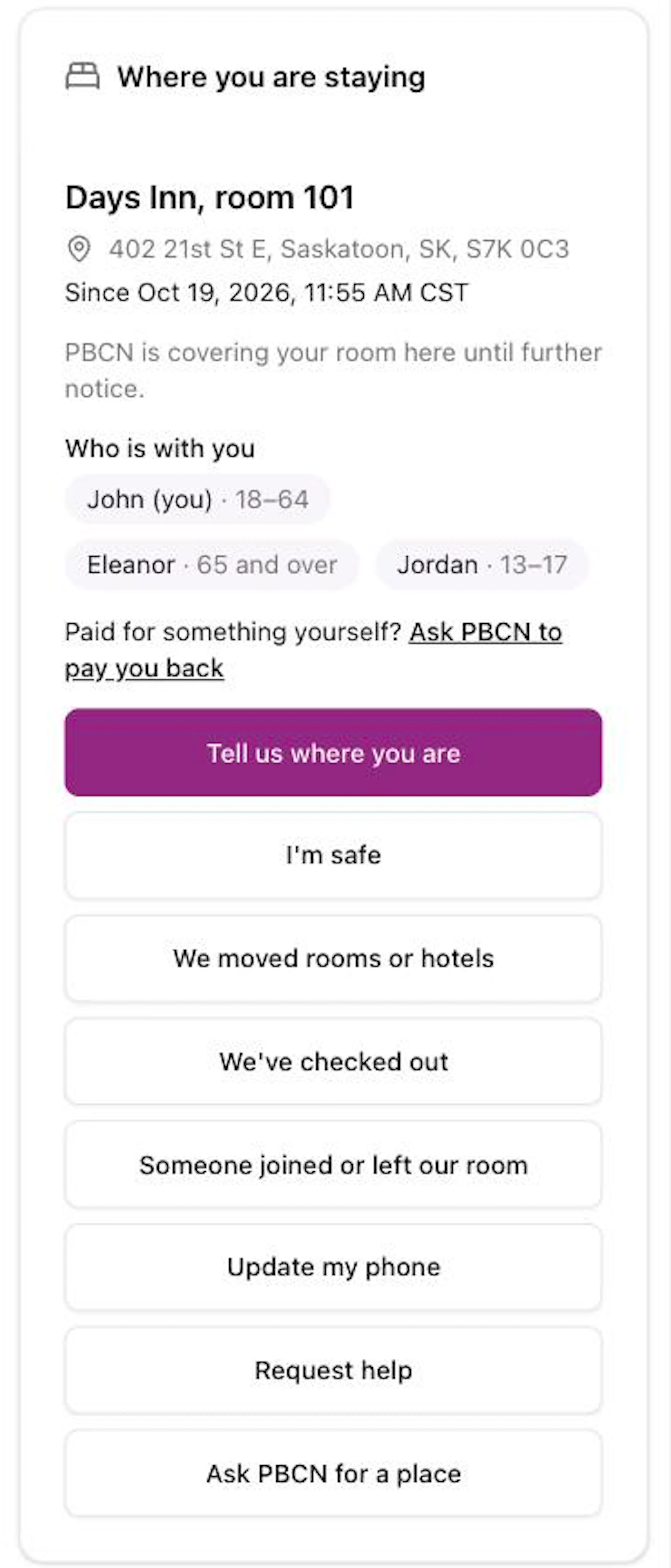
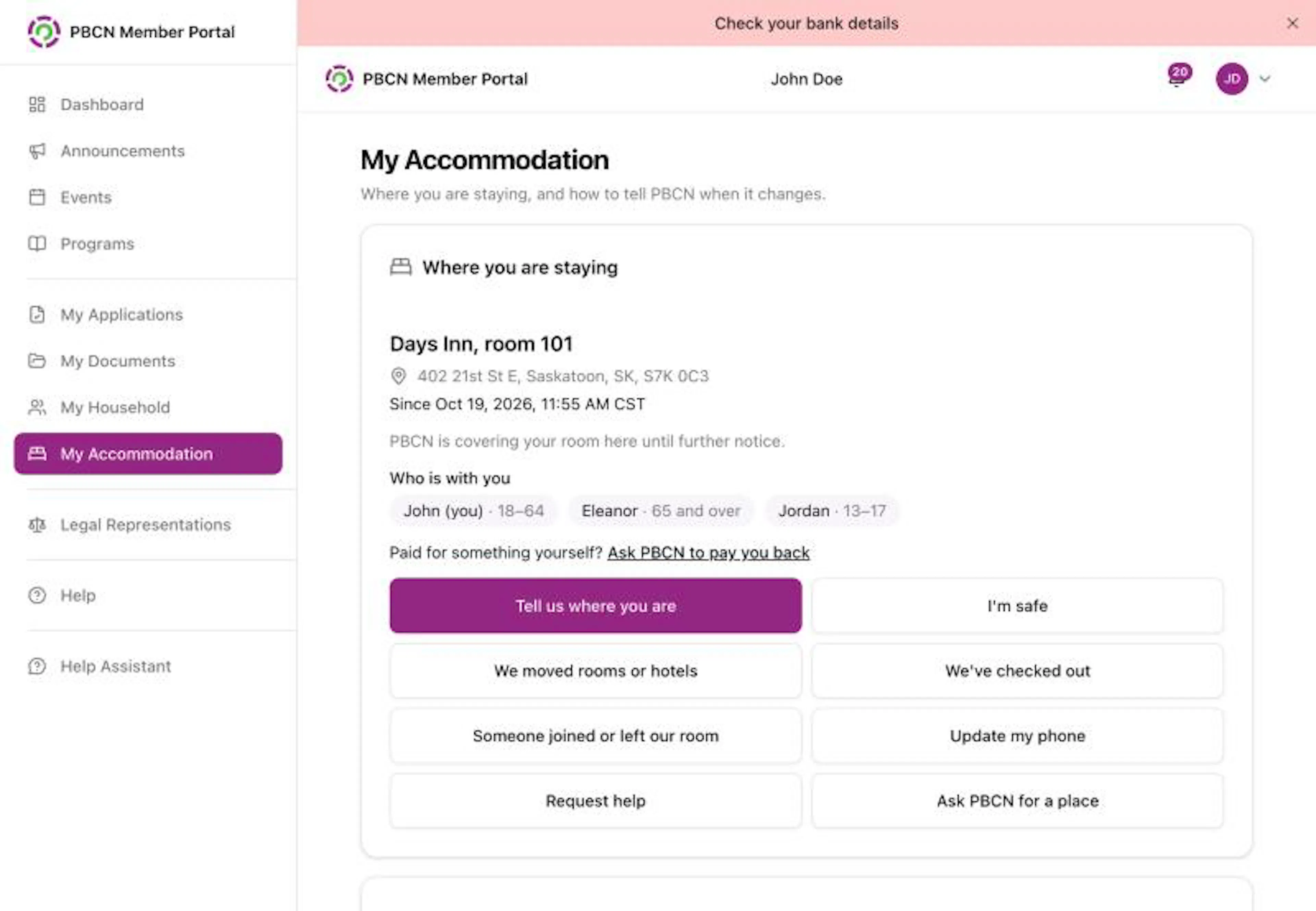
The buttons on the page
| Button | Use it when |
|---|---|
| Tell us where you are | You are staying somewhere PBCN didn't arrange, or want to tell PBCN where you are. |
| I'm safe | You want to tell PBCN you are safe. |
| We moved rooms or hotels | You moved to a different room or place. |
| We've checked out | You left the place. |
| Someone joined or left our room | Someone moved in to or out of your room. |
| Update my phone | Your phone number changed while you are away. |
| Request help | You need something, for example a ride, food or medicine. |
| Ask PBCN for a place | You need PBCN to arrange a place to stay. |
Some buttons only show when they apply to you. See Tell PBCN where you are staying and Ask PBCN for a place.
Please check
Sometimes someone else reports a change that includes you. A yellow Please check box appears at the top of the page. Tap the purple Yes, that's right button if it is right, or the white No, this isn't right button if it is wrong.
For urgent help, contact your band office.