Ask someone to act for you
How to send a Legal Representation request, either naming someone to act for you or asking to act for a member.
What you need
- The legal document(s) that prove the relationship, for example a power of attorney, a guardianship order or a will. A photo or PDF file works.
- Details of the other person:
- For a PBCN member: their Treaty Number and Date of Birth.
- For someone who already has a representative account: their Email and Date of Birth.
- For a new person: their Full Name, Email and Phone.
Start the request
Open Legal Representations
Open Legal Representations. On a phone, tap More at the bottom of the screen first.
Tap Request Legal Representation
At the top right of the page, tap the purple Request Legal Representation button.
The page Request Legal Representation opens. It asks Who is this for?
Choose Someone will act for me
Tap the box Someone will act for me.
Fill in the details
Choose who the person is
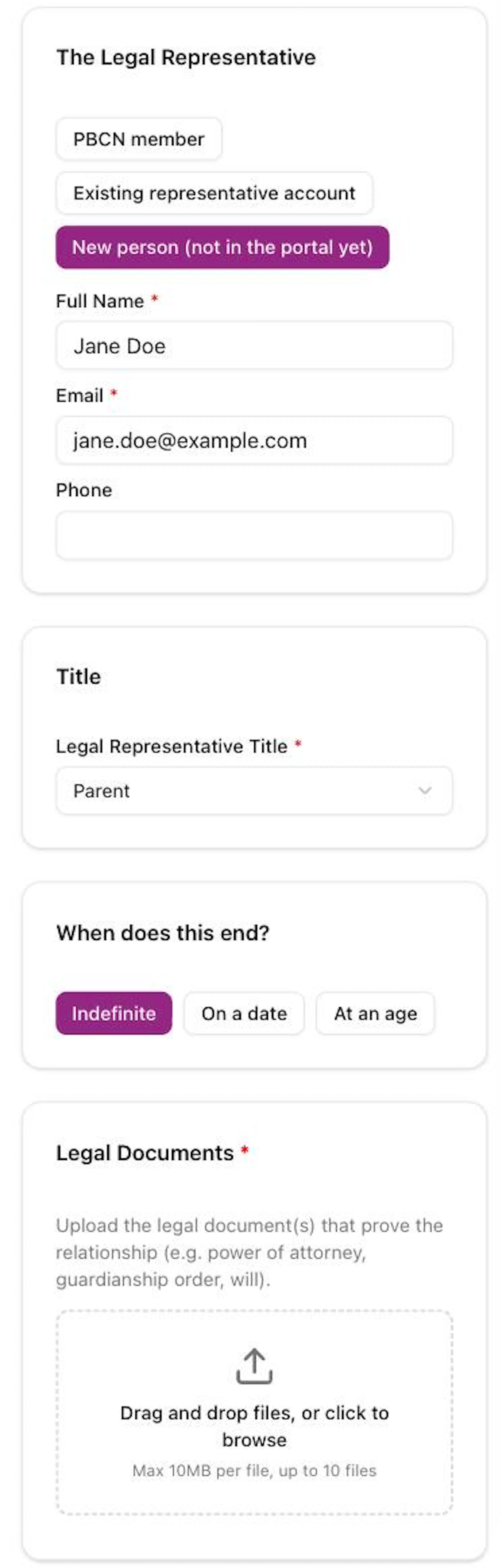
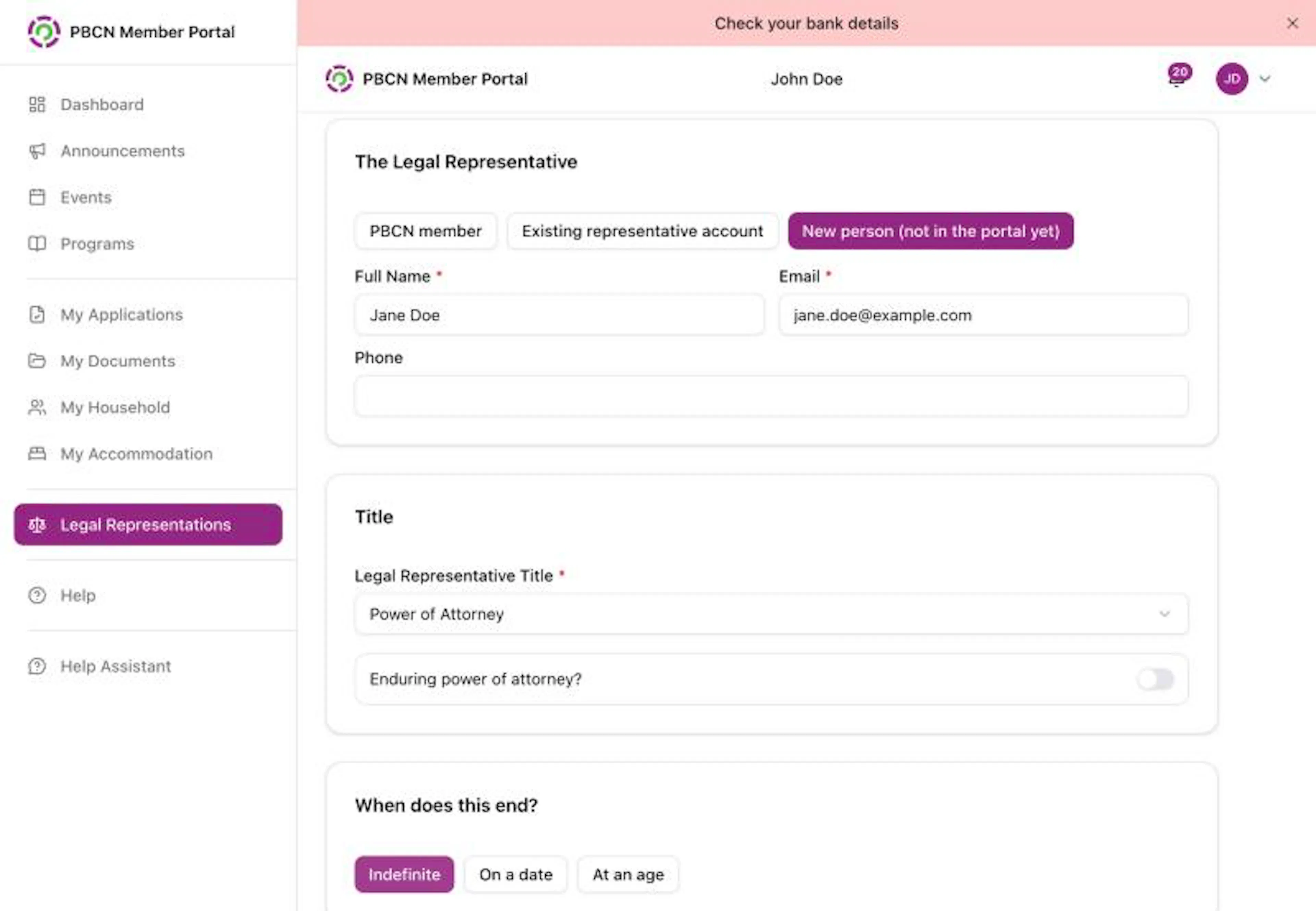
Under The Legal Representative, tap one of the three choices. The one you tap gets a purple outline and a filled dot:
- PBCN member: then type their Treaty Number and their Date of Birth.
- Existing representative account: then type their Email and Date of Birth.
- New person (not in the portal yet): then type their Full Name, Email and (if you have it) Phone.
Choose the title
Under Title, tap the box under Legal Representative Title * that says Select a title, and choose the one that matches the legal document.
If you choose Other, type it in the Describe the title * box. For a power of attorney, tap the switch next to Enduring power of attorney? if it is enduring.
Choose when it ends
Under When does this end?, tap one:
- Indefinite: no end date.
- On a date: then pick the Expiry Date.
- At an age: then type the Age. The portal shows when it ends, for example Ends the day before the 18th birthday.
Add the legal documents
Under Legal Documents *, tap the dashed box that says Drag and drop files, or click to browse. Choose the file from your phone or computer. Each file can be up to 10MB.
The file name shows under the box. To take it off, tap the X next to it.
Add information (optional)
Under Additional Information, type anything else the staff reviewing the request should know.
Go to the next step
Tap the purple Next button at the bottom right.
If something is missing, a message tells you what, for example Please fill in: Supporting documents.
Answer any extra questions
You may see a short form with more questions. Answer them, then tap Continue.
Confirm and send
Tick the box
Under Confirm & Submit, tap the square next to I certify that the information in this request is true and complete, and that the uploaded documents are genuine. *
Sign
If you see Electronic Signature (Full Legal Name) *, type your full legal name.
If you see "Signature must match your full legal name.", check the spelling and type it again.
Send it
Tap the purple Submit Request button.
A message pops up: Request submitted. The request's page opens.
Ask to act for a member
If you want to become someone's Legal Representative:
- On the Who is this for? step, tap I will act for a member.
- Under The member you'll represent, type the member's Treaty Number and Date of Birth.
- Fill in the rest of the request the same way as above, then tap Submit Request.
Change, withdraw or end a request
Open the request from Legal Representations. At the bottom of the page you may see:
- Update Request (white): change the request before review starts.
- Withdraw Request (red): cancel the request. In the box that opens, you can type a Reason (optional), then tap Withdraw Request. This can't be undone.
- Request to End (white with red text): ask to end an active representation. Type a Note (optional) and tap Send to PBCN Staff. A message pops up: Request to end sent to PBCN staff.
If you see PBCN staff are reviewing this request. Updates and withdrawals are not allowed after the request enters the 'Review in Progress' stage., contact your band office for help.