What is a Legal Representation?
What a Legal Representative is, how to open Legal Representations, and what each status label means.
What it is
A Legal Representative is a person who has the legal right to act for a member, for example with a power of attorney or a guardianship order. In the portal, a Legal Representative can use the portal for that member.
A Legal Representation is the record in the portal that links the two people. Each one has a number, for example Legal Representation ID LR-2026-00012.
You can:
- Ask for someone to act for you. See Ask someone to act for you.
- Ask to act for a member. See Ask someone to act for you.
- Accept an invitation to be someone's Legal Representative. See Accept an invitation.
Staff review every request before it takes effect. You will need the legal documents that prove the relationship.
Open Legal Representations
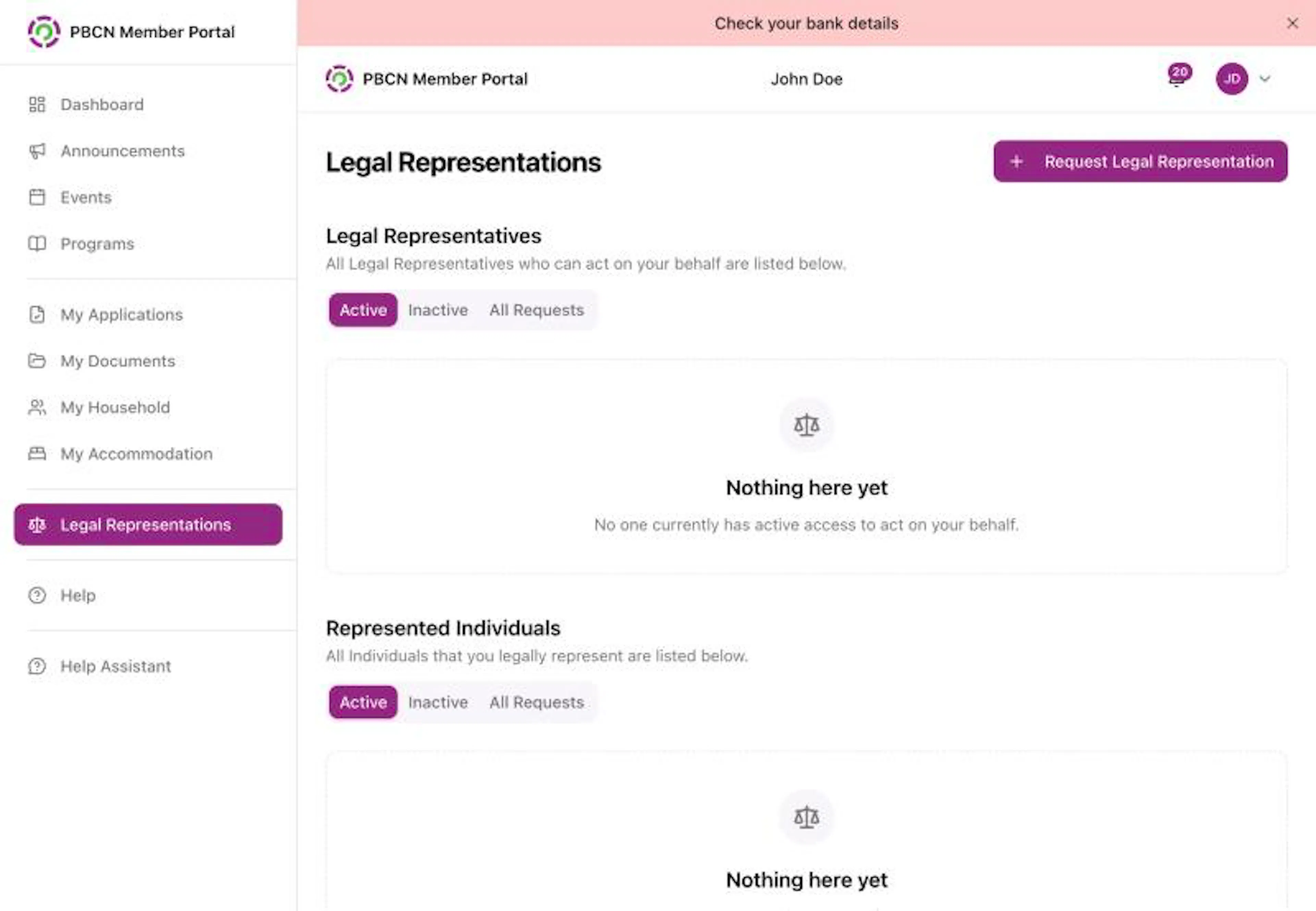
- On a computer: in the menu on the left, click Legal Representations.
- On a phone: tap More at the bottom right of the screen, then tap Legal Representations.
If someone acts for you, a grey strip under the top bar says You have a Legal Representative: and their name. Tap it to open Legal Representations.
What you see on the page
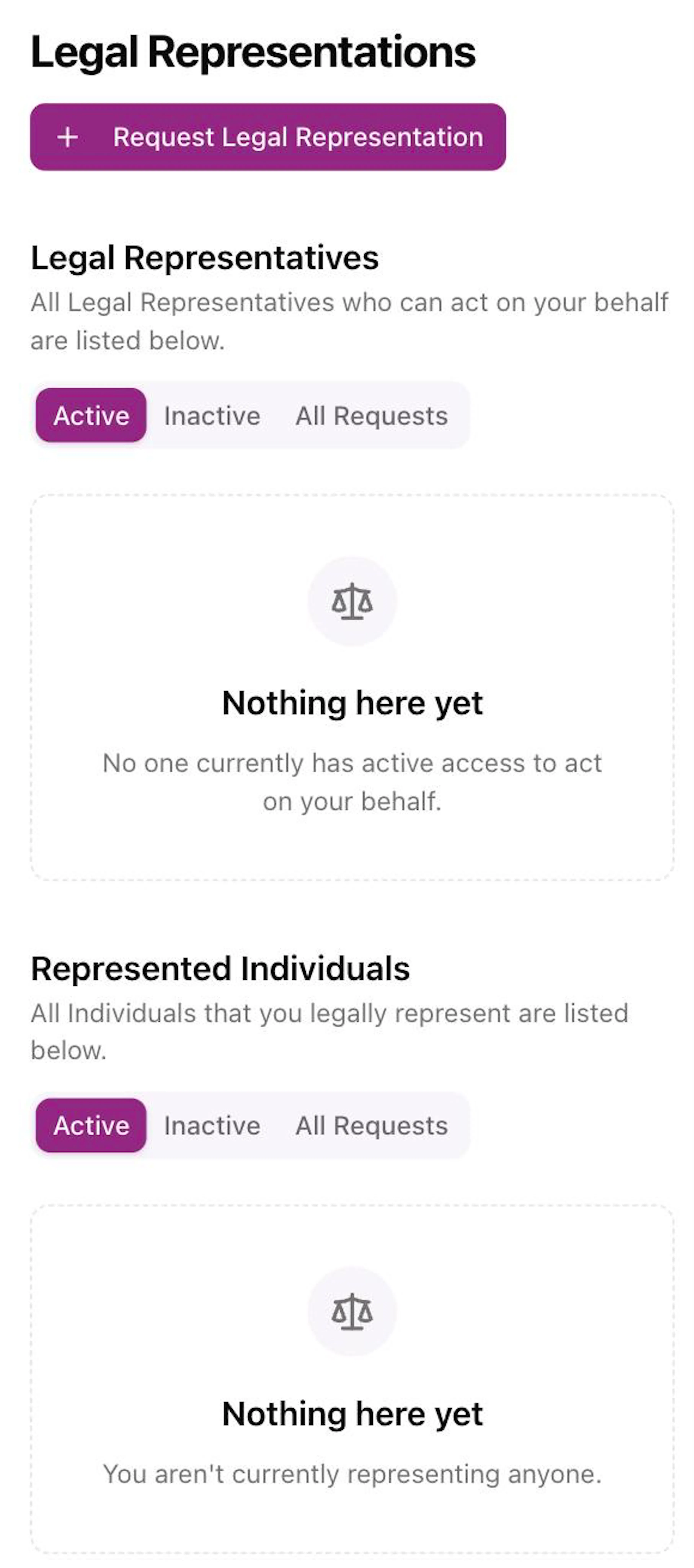
The page has two parts:
- Legal Representatives: people who can act for you.
- Represented Individuals: people you act for.
Each part has three buttons: Active, Inactive and All Requests. Tap one to show those records.
What the status labels mean
| Label | What it means |
|---|---|
| Submitted, Pending Review | The request was sent and is waiting for review. |
| Review in Progress | Staff are reviewing the request. |
| Info Requested | Staff asked for more information. Open the request to answer. |
| Approved – Awaiting Representative | The request was approved. The Legal Representative needs to accept it. |
| Active | The Legal Representative can act for the member now. |
| Denied | The request was denied. |
| Withdrawn | The request was withdrawn. |
| Declined by Representative | The named person said no. |
| Expired | The end date was reached. |
| Revoked | The representation was ended. |
| Resigned | The Legal Representative stepped down. |
| Ended at Member's Request | The member asked to end it. |
| Ended – Member Deceased | It ended because the member passed away. |
| Ended – Representative Unavailable | It ended because the Legal Representative is no longer available. |
| Replaced by a Newer Request | A newer request took its place. |
Inside a Legal Representation
Tap a record to open it. You see Request Details (who, the Title, dates and Access), Legal Documents, and an Activity Log.
- To download a copy, tap the white Download PDF button at the top right.
- If staff asked for more information, a red Action Required box shows. Answer the request the same way as for an application: type in Additional Information, add files under Upload Files, and tap Submit Response. See When staff ask for more information.
For questions, contact your band office.